Structure
Pages and journal navigation
Moments belong in the journal flow. Some writing needs a fixed home. Pages hold the material visitors may look for at any time, and navigation turns the most useful pages, collections, and links into a small map of your corner of the web.
Pages are included with Moments Plus. See plans and pricing.
Create a page
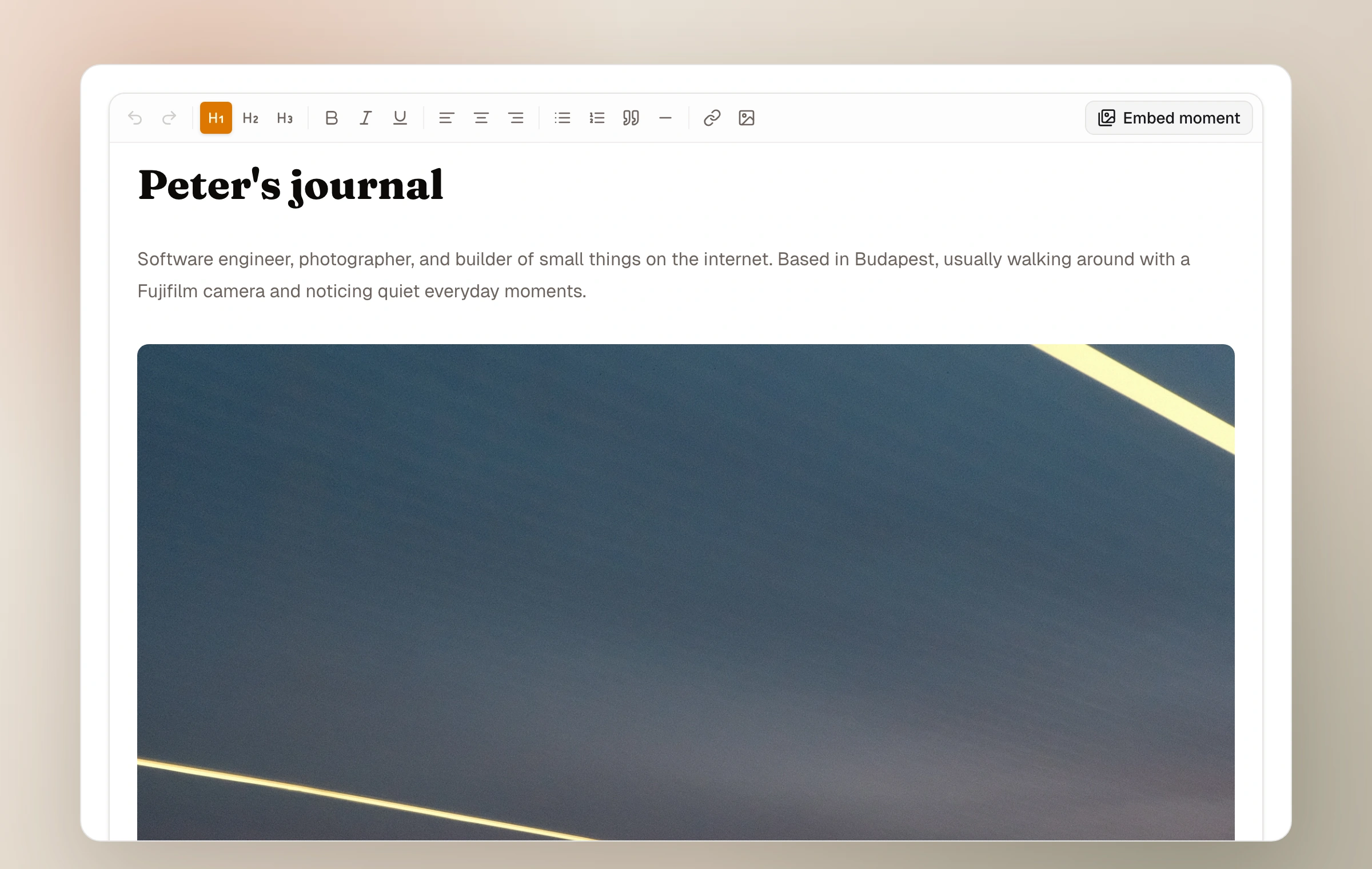
A page has a title, a readable URL slug, rich content, and its own draft or published state. You can begin from a simple About, Gear, or Contact prompt, or start empty. Pages take on the journal's current theme automatically.
A page can be short, but it can also become a portfolio introduction or a guide. The editor supports formatted writing, links, photographs, and live moment cards, which lets a page introduce selected work without copying it.
- 01
Choose its purpose
Start with a clear visitor question: who are you, what do you use, how can someone reach you, or what work should they see first?
- 02
Write and embed
Add the text and media it needs. Insert published or unlisted moments when the page should lead into a photographic set.
- 03
Check the slug
Use a short, durable URL word such as about, contact, or projects.
- 04
Publish and place
Publish the page, then include it in navigation now or arrange it later in Navigation settings.
Embed a moment inside writing
The page editor and a moment's field-note editor can insert another moment as a tappable card. The card uses the current title, date, location, cover preview, and photo count. Because it points to the source moment, later changes appear without rebuilding the page.
Unlisted moments can be inserted and are labelled as such in the picker. Doing this creates a discoverable route from the page to that unlisted moment, just as sharing its direct link would, so make the choice deliberately.
Keep reading
Related guide
Journal identity and appearance
Shape the name, introduction, color, typography, spacing, header, and light or dark character of your journal.
Related guide
Curate with collections
Gather photographs from across the journal or arrange whole moments into a focused story of their own.
Related guide
Choose who can see a moment
A precise guide to Public, Unlisted, and Password, including the separate choices for community and conversation.