Curation
Curate with collections
Chronology is the journal's default, but it is not the only way to see a body of work. Collections create another path: favorites, portraits, a place revisited, a year of family trips, or the handful of moments that introduce your photography best.
Collections are included with Moments Plus. See plans and pricing.
Choose photographs or whole moments
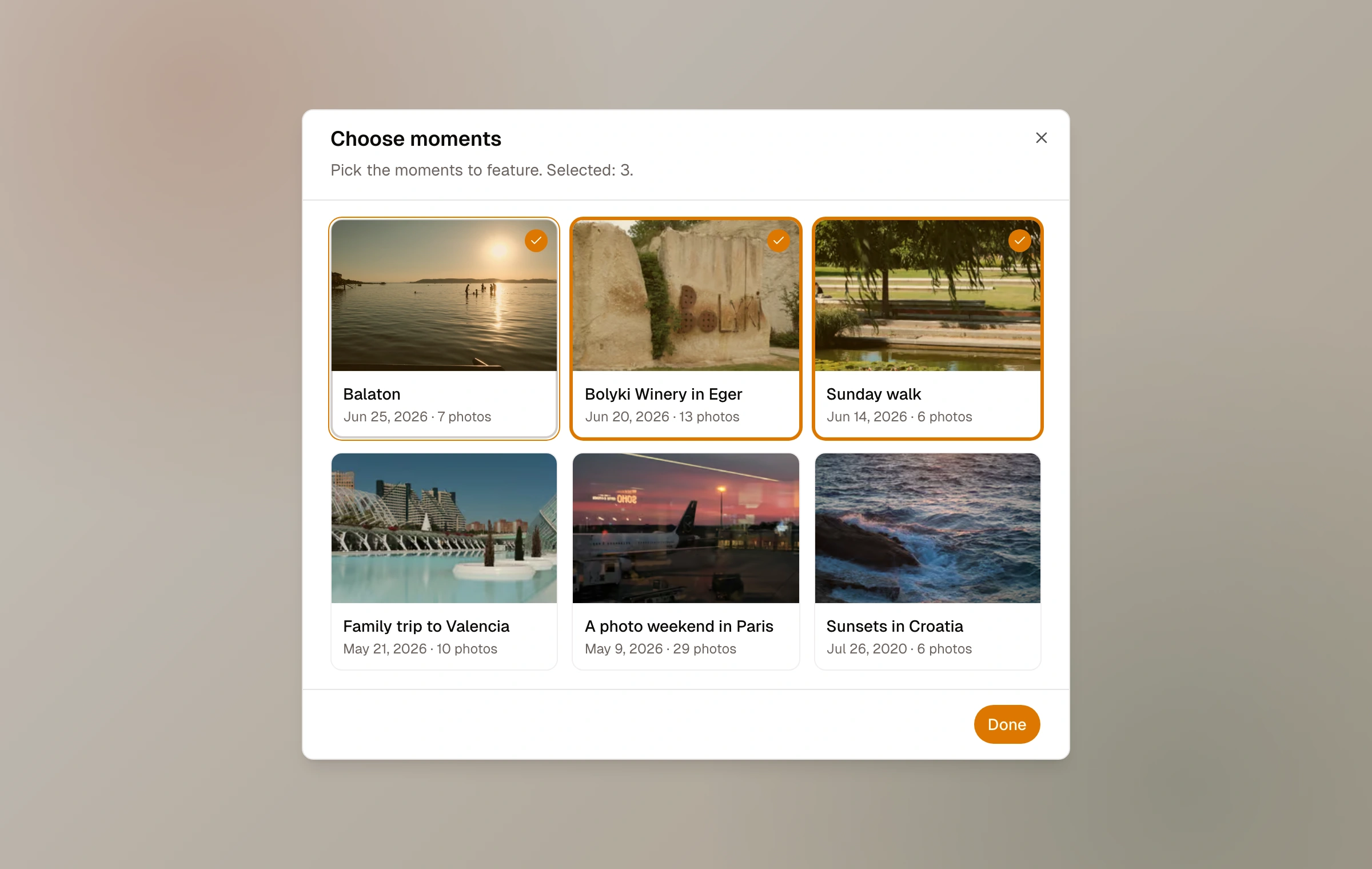
A photo collection gathers individual frames from across your own journal into one gallery. Its picker can deliberately select photos whose home moment is a draft, unlisted, or password-protected; publishing the collection exposes those selected photos on the collection page. A moment collection gathers complete eligible moments and reads like a smaller, deliberately ordered journal: each entry keeps its title, date, location, writing, and photographic sequence.
The type is chosen when the collection is created and remains fixed. That clarity keeps the public result coherent: gallery or journal, rather than an unpredictable mixture.
Build and order the collection
Give the collection a title, URL slug, and optional description. Choose photographs or moments from the journal library, then drag them into the order the collection should be read. A collection can remain a draft while it is being shaped.
The source material stays where it began. One moment can appear in many collections, and a photo remains attached to its home moment. A collection is a view over the journal, not a duplicate archive.
- 01
Choose a single idea
Decide whether the collection is about individual frames or complete stories.
- 02
Select from the library
Pick only the photographs or moments that support that idea.
- 03
Find the sequence
Drag the selection into a deliberate visual or narrative order rather than accepting chronology by default.
- 04
Publish and place
Publish for a stable link, optionally include it in journal navigation, and share or embed it where it belongs.
Collections stay connected
When a source moment is renamed or updated, references to it can reflect the current work. Reordering or revising a published collection also updates its public page and any collection embed. This makes a collection a living curation rather than an exported snapshot.
Moment collections do not use protected moments as a way around their access boundary. Photo collections are different by design: the selected photograph itself becomes public through the published collection even when its home moment is not public. Review every selected frame before publishing.
Keep reading
Related guide
Pages and journal navigation
Add About, Gear, Contact, portfolio, or guide pages and build a clear header around them.
Related guide
Put Moments on another site
Embed one moment, a living collection, or a recent-moment feed with a layout and color chosen for its new home.
Related guide
Publish, revise, and remove work
Understand drafts and published moments, live updates, links, unpublishing, and deletion.