Photographs
Captions, alt text, and the lightbox
The field note belongs to a moment; a caption belongs to one photograph. Keeping those layers separate lets the sequence remain spacious while still making room for names, observations, context, and a useful description for people who cannot see the image.
Caption one frame at a time
Each completed photograph in the moment editor has a caption and alt-text editor with a large preview. Move through the whole set without closing the editor, using its controls or the left and right arrow keys when you are not typing. A progress indicator shows which photographs already have captions.
Captions can be brief or expansive. They appear with the photograph in the lightbox, so they work best when they add something the image cannot say alone rather than repeating the moment's field note.
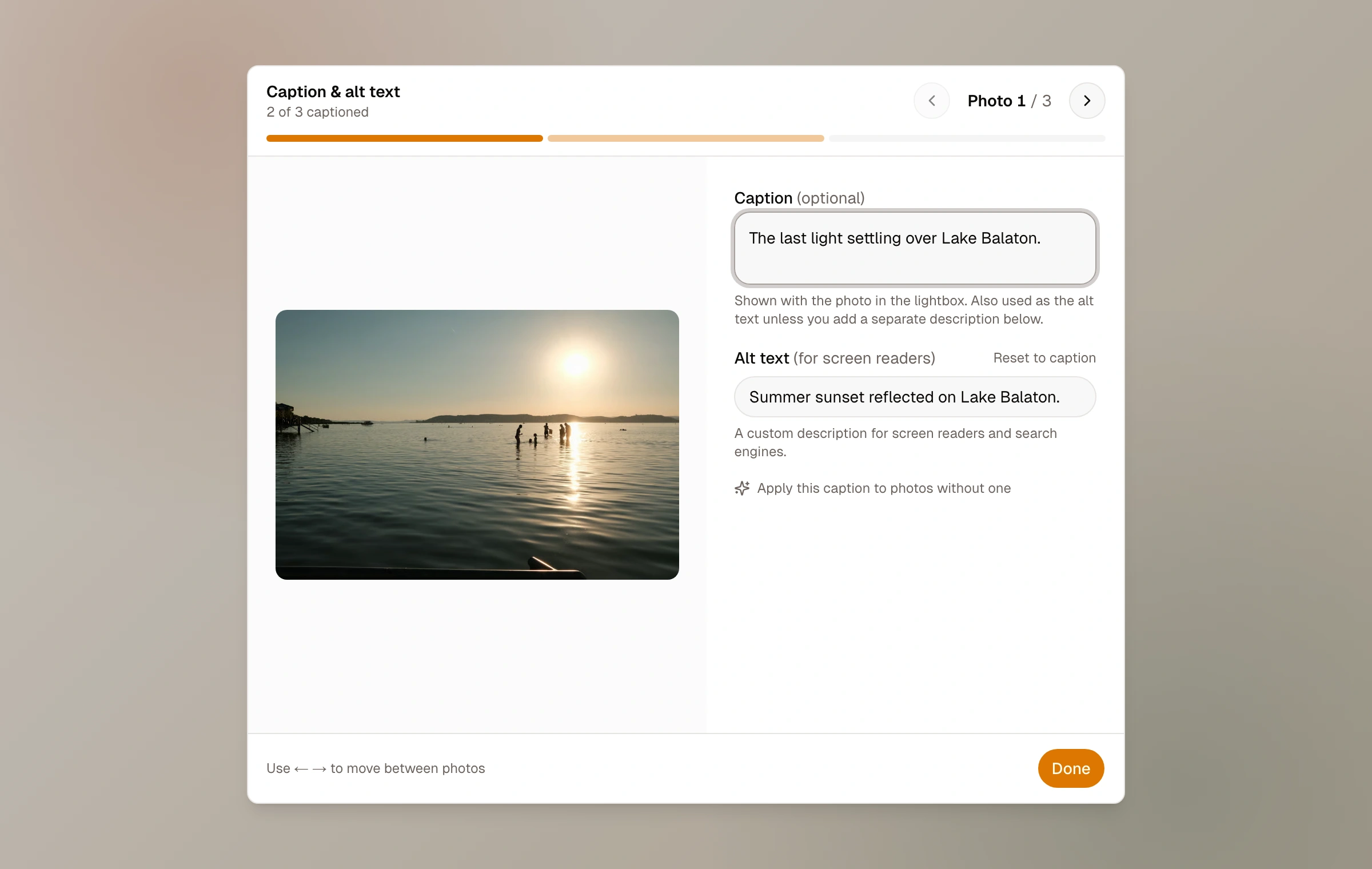
Caption and alt text have different jobs
By default, a caption also becomes that photo's alt text. This gives screen readers a useful description without asking you to write everything twice. If the visible caption assumes the image can be seen, add a separate plain description in the alt-text field.
Good alt text names the important visual information in context. A caption might say “the road finally opened”; the alt text could say “a narrow mountain road emerging from fog between dark pines.” Decorative detail can stay out if it does not help someone understand the moment.
Leaving both fields empty produces empty alt text. That can be appropriate for a purely decorative frame, but most journal photographs carry meaning and benefit from a concise description.
How readers see the full set
Selecting a photograph opens the focused lightbox. Readers can move backward and forward through the moment, zoom when a closer look is useful, and open the information panel for the photograph and its surrounding moment. The route follows the selected photo, which makes a particular frame addressable while keeping the sequence intact.
The moment's own lightbox respects the same access boundary as the moment. Its direct photo route is not a shortcut around the password. Photo collections are a deliberate exception to understand: selecting an individual photograph for a published collection exposes that selected frame through the collection even when its home moment is protected.
Keep reading
Related guide
Photos, originals, and metadata
What happens during upload, which camera details Moments reads, and what is preserved for export.
Related guide
Create a moment
Upload and arrange a set, add its field note and context, and decide how it should leave the draft.
Related guide
Choose who can see a moment
A precise guide to Public, Unlisted, and Password, including the separate choices for community and conversation.
Related guide
Curate with collections
Gather photographs from across the journal or arrange whole moments into a focused story of their own.