Your work, yours
Export your journal
Every export carries two things together: a complete copy of your journal and a static website in its theme. Keep the full archive somewhere safe, read the website offline, or prepare a copy to host without depending on Moments remaining online.
What the archive contains
The export is one ZIP archive. Inside, original full-resolution photographs are grouped by moment, journal.json records the journal details and moment data in a structured, readable form, and README.md explains the package.
That metadata includes the titles, field notes, dates, tags, and EXIF Moments has for the work. For HEIC, HEIF, or HIF uploads, export keeps the untouched original rather than offering only the JPEG made for browsers.
The same export also includes a static website. Public and unlisted moments, along with each available written page and collection, are rendered in the journal's own theme as plain HTML and CSS, with the web-sized photographs its pages load. Open index.html in a browser to read the journal offline. To put it online, keep the complete export safe and follow the README to prepare a hosting copy without private originals. A theme on Moments is a stylesheet, so theme.css is the whole look, yours to keep or edit.
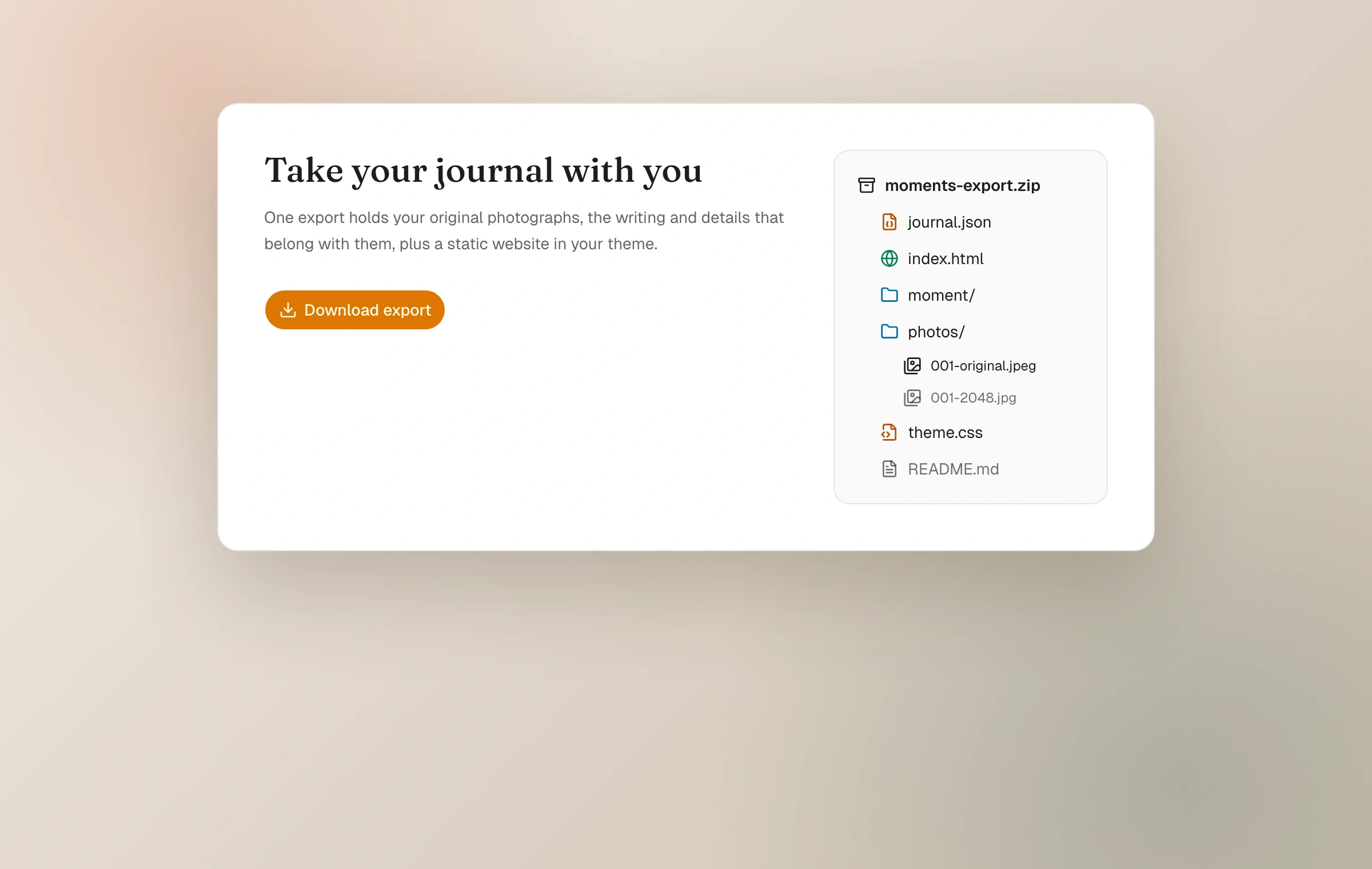
- One portable ZIP file
- Original photographs at full resolution
- A folder for each moment
- Journal identity and moment structure in journal.json
- A static website in the journal's theme, with a small photo viewer
- A README describing the archive and how to put it online
- Moment writing, dates, tags, and stored EXIF metadata
The static website inside
The site shows what readers could already see: public moments on the front page, unlisted moments as pages nothing links to, and pages and collections while Moments Plus is in effect. Password-protected and unpublished moments are not rendered; their originals are kept in a separate private folder so they are easy to leave out of an upload.
Before hosting the site, keep the complete export safe and make a separate copy. The README explains how to remove the private folder and, when a host has file-size limits, the full-resolution originals that the pages do not load. It then walks through putting the prepared copy online for free on Netlify, Vercel, Cloudflare Pages, GitHub Pages, or any web server.
A static site cannot carry replies from the open web, passwords, the RSS feed, or share cards. The photographs and writing readers could see are there, and the complete private archive remains with you.
- Open index.html offline, or prepare a separate copy for any host
- theme.css is the journal's theme, editable with the same class hooks as custom CSS
- A dependency-free photo viewer and the light and dark switch come along
- Private and full-resolution originals can stay out of the hosting copy
Prepare and download
Open Settings, then Export, and choose Download export. Moments assembles the archive when requested. Large journals can take a while to package, so leave the tab open until the browser begins the download and make sure the destination has enough free space.
- 01
Start the export
Request it from the Export settings while signed in to the journal owner account.
- 02
Keep the tab open
The archive is streamed after it is prepared; a large original library may need patience.
- 03
Open and inspect it
Open index.html, then check several moment folders, original file types, and journal.json before treating it as a backup.
- 04
Keep another copy
Store it somewhere independent of both Moments and the device holding your only originals.
Export is portable; your backup still matters
A downloaded export is a point-in-time copy. It covers journal details, moments, original photos, tags, stored EXIF, per-photo captions and alt text, plus the static website with its theme, navigation, pages and collections. It does not update when the journal changes and is not automatically stored in a second location. Make a fresh export after substantial work and keep ordinary backups of irreplaceable source photographs as well.
A custom domain complements export: the archive makes the content portable, while an address you own makes the public links more portable.
Export before account deletion
Deleting the account permanently removes the journal, moments, photographs, pages, and collections and releases the subdomain. Download and verify an export first if there is any chance you will want the work later.
Do not wait until the only copy of a photograph lives in a hosted product. Moments preserves originals, but a resilient personal archive always has more than one home.
Keep reading
Related guide
Photos, originals, and metadata
What happens during upload, which camera details Moments reads, and what is preserved for export.
Related guide
Use a domain you own
Connect a domain or subdomain, complete DNS verification, and understand what happens to existing links.
Related guide
Billing and account basics
Manage a Moments Plus subscription, understand trials and plan status, protect sign-in access, and delete the account safely.