Embeds
Put Moments on another site
Your journal can be the source of truth while part of it lives on a blog, portfolio, about page, or personal site. An embed is a window onto the current work, not a copied block that goes stale the next time you edit.
Embeds are included with Moments Plus. See plans and pricing.
Choose what should stay in view
- A moment embed shows one published public or unlisted moment with its current title, field note, and photographs.
- A collection embed shows a published photo collection as a gallery or a moment collection as a small journal.
- A recent-moments embed shows a configurable number of the journal's newest public moments and updates as new ones are published.
Create the embed
For a moment or collection, open its Share control and choose Embed. For a rolling journal feed, open the Embed section in settings. The editor previews the result and provides a snippet for the destination site.
Choose the layout, column count where relevant, how much photography or how many recent moments to show, and one background color. The embed derives the supporting text, edges, and controls from that light or dark background so it can sit naturally inside a different site's design.
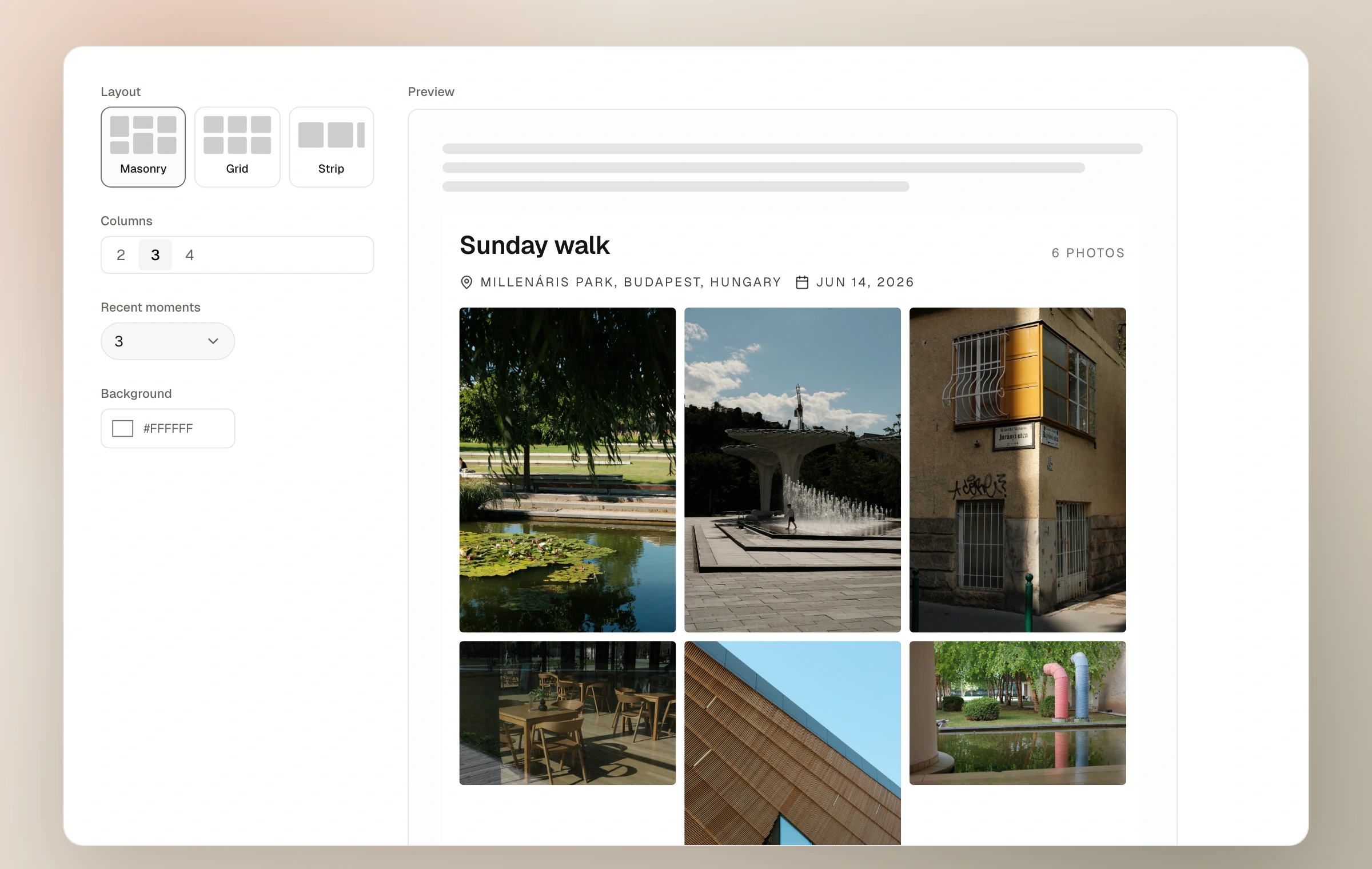
- 01
Open the right editor
Use Share → Embed for one moment or collection, or Settings → Embed for a recent-moment feed.
- 02
Fit the destination
Choose layout, columns, amount, and background while watching the preview at realistic widths.
- 03
Copy the snippet
Paste it into a site or publishing tool that accepts custom HTML.
- 04
Test the published page
Check narrow and wide screens and confirm the destination's security settings allow the embed to load.
Live, but only for public work
Rename a moment, revise its field note, reorder its photographs, update a collection, or publish a new recent moment and the embed can reflect the current source. There is no separate copy to maintain.
A direct moment embed may show a published unlisted moment when you deliberately create that embed, just as a direct unlisted link reveals it. Password-protected moments cannot be embedded. Rolling recent-moment feeds include only public work, and a collection must be published before it can be embedded. A small attribution route leads readers back to the source journal or collection.
What the other site must allow
The snippet works where custom HTML and external embedded frames or scripts are allowed, including many self-hosted sites and flexible publishing platforms. Some hosted editors strip custom code or restrict outside frames. In that case, use an ordinary linked image or text link to the journal instead.
Keep reading
Related guide
Curate with collections
Gather photographs from across the journal or arrange whole moments into a focused story of their own.
Related guide
Share directly or with the community
Use stable links, decide what joins the chronological community feed, and keep public from meaning performative.
Related guide
Read private analytics
See how people find and move through the journal without cookies, public counters, or stored personal profiles.