Start here
Begin a photo journal
Moments gives photographs a place of their own, in order, with as much or as little writing as you want. You can make the journal recognizably yours before publishing anything, then let it grow one moment at a time.
Two ideas to know
Your journal is the lasting home: its name, bio, address, appearance, navigation, pages, collections, and public feed. A moment is one entry inside it, usually a set of photographs from a day, place, walk, trip, or small stretch of life.
A moment does not need an essay, or even a title. The photographs can stand on their own. When context matters, you can add a date, location, field note, tags, and a separate caption or accessible description for each photograph.
Set up the front door
When you create a journal, choose a name and the moments.im subdomain it will begin with. Add a profile photograph and a short bio if they help introduce the work. These details can be refined later in General settings; the subdomain remains the journal's permanent platform address.
The setup flow also offers an appearance pass and a first moment. Neither needs to be perfect. Themes and journal details can change while the published links to your work stay intact.
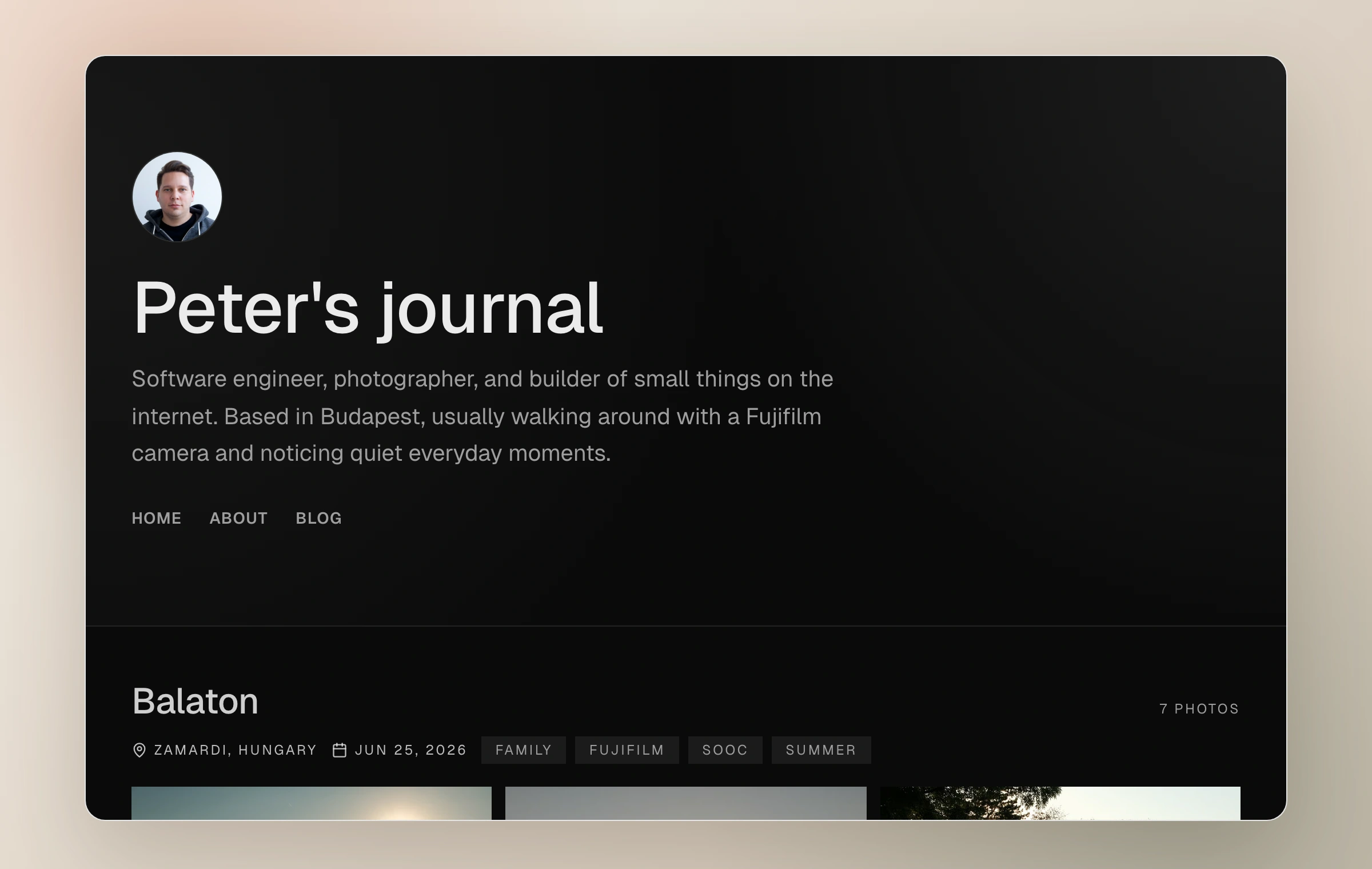
- 01
Name the journal
Choose the name visitors will see and a clear moments.im address you will be comfortable sharing.
- 02
Choose a starting look
Pick a theme and accent that suit the photographs. Appearance settings include a live preview for later refinement.
- 03
Add one moment
Start with a photograph from an ordinary day or a set from a trip. Writing is welcome, never required.
- 04
Visit the journal
Open the public site and see it as a reader would. The journal grows from this first published entry.
Where things live
Moments in the dashboard is the working library for entries and their photographs. Pages holds longer standalone writing. Collections gathers selected photos or whole moments. Analytics is the private view of readership, when available. Open web holds replies, mentions, shared moments, followers, and blocks.
Settings is where the journal itself is managed: identity, appearance, domain, navigation, recent-moment embed, usage and support, export, and account controls.
A calm default
Publishing to your own journal and distributing beyond it are separate choices. A public moment can live quietly on the journal without being placed in the Moments community or sent to open-web followers. Unlisted and password-protected moments stay away from those public surfaces entirely.
If you are unsure, publish to your journal first. You can change visibility and sharing choices later.
Keep reading
Related guide
Create a moment
Upload and arrange a set, add its field note and context, and decide how it should leave the draft.
Related guide
Journal identity and appearance
Shape the name, introduction, color, typography, spacing, header, and light or dark character of your journal.
Related guide
Choose who can see a moment
A precise guide to Public, Unlisted, and Password, including the separate choices for community and conversation.