Privacy
Choose who can see a moment
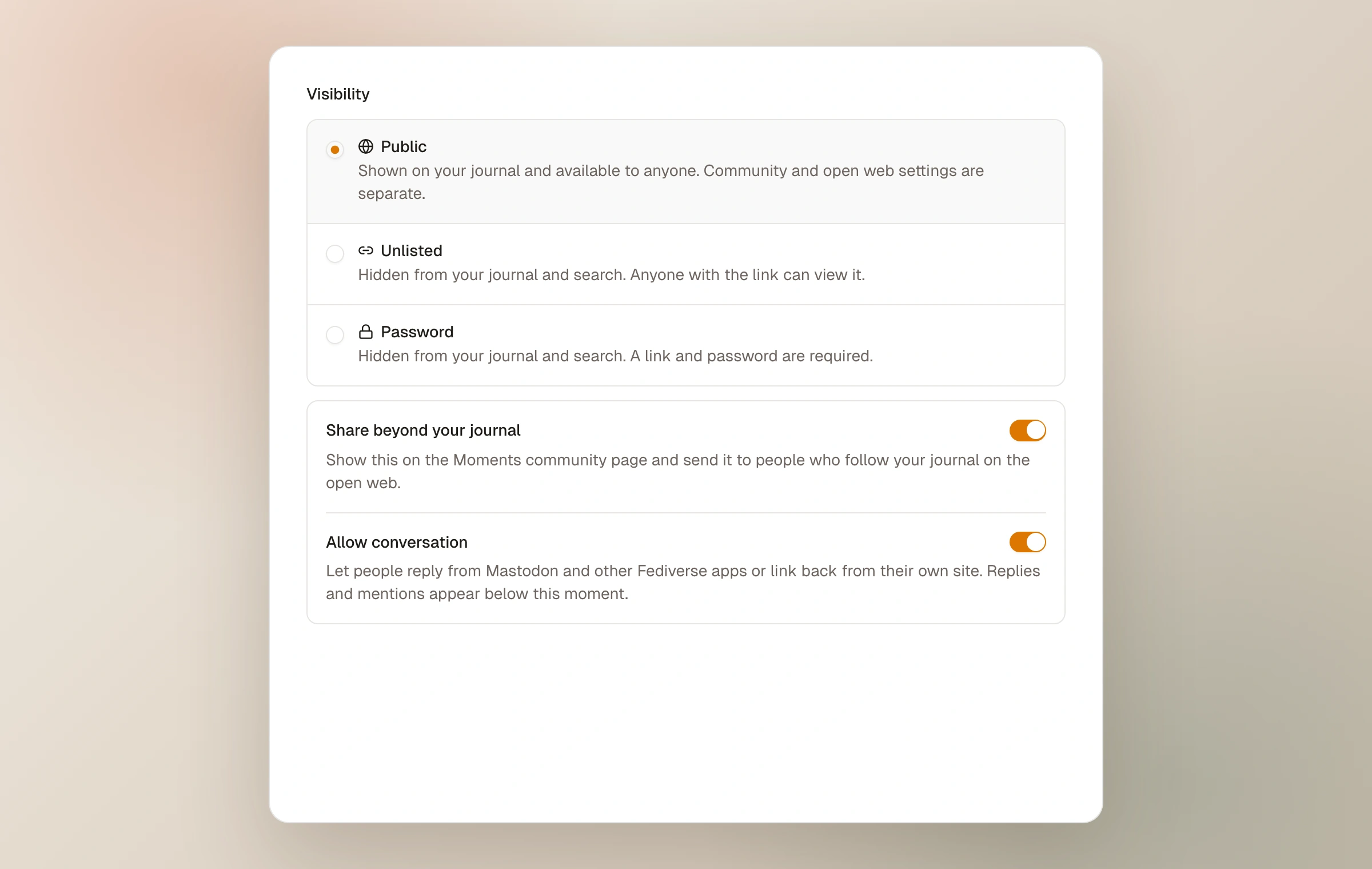
Visibility is chosen per moment. It controls the door into the photographs; community sharing and open-web conversation are later, separate choices that exist only for public work. This separation makes it possible to keep a public journal without broadcasting every public entry.
Public and unlisted visibility are available to everyone. Password protection is included with Moments Plus. See plans and pricing.
Public
A published public moment appears on your journal, is available to anyone who visits or follows a link, and is included in the journal's RSS feed. Public does not automatically mean community-wide distribution: the “share beyond your journal” choice decides whether the moment also appears in the Moments community and, when Open web is enabled, reaches Fediverse followers.
Conversation is another per-moment choice. When available and enabled, Fediverse replies and verified webmentions can gather beneath the moment.
Unlisted
An unlisted moment is hidden from your journal and search surfaces. Anyone with its link can open it, without an account or password. It is useful for a quiet preview, a small group, or a moment linked from a page that should not otherwise sit in the main feed.
Unlisted is privacy by obscurity, not an access lock. A recipient can forward the URL. Unlisted moments do not travel to the community, open-web followers, or RSS, and they are not open to conversation.
Password
A password-protected moment requires both its link and its password. Visitors do not need a Moments account. You may add an optional hint that helps invited readers remember the password without revealing it. Password protection is included with Moments Plus.
After a successful unlock, access is remembered on that device for 30 days. Changing the password retires previous unlocks, so devices must use the new one. Passwords are not stored in readable form.
If Moments Plus access later ends, moments that are already protected stay protected and remain editable. Starter cannot add password protection to another moment, and nothing is ever made public because a plan changed.
The protected moment as a whole stays off the journal, search, feeds, moment collections, embeds, community, and open web. Its title, sequence, and field note remain behind the password rather than being used as a public preview.
Photo collections need separate care. Their picker can select an individual photograph from a protected moment, and publishing that collection makes the selected frame public through the collection without opening the rest of its home moment. Do not add a protected photo to a published photo collection unless you intend to expose that frame.
A practical choice
- Choose Public when the moment belongs on the open journal.
- Choose Unlisted when possession of the link is enough permission.
- Choose Password when the link may travel but the audience should still know a shared secret.
- Keep a draft when the moment should not be served to anyone yet.
No website can prevent an authorized viewer from saving or photographing what they can see. Use visibility to choose the audience, and share sensitive work with people you trust.
Keep reading
Related guide
Share directly or with the community
Use stable links, decide what joins the chronological community feed, and keep public from meaning performative.
Related guide
Connect the journal to the open web
How RSS, the Fediverse, and Webmentions let a journal meet readers beyond Moments without becoming a social feed.
Related guide
Publish, revise, and remove work
Understand drafts and published moments, live updates, links, unpublishing, and deletion.