Open web
Fediverse following and conversation
The Fediverse is a network of independent services that share a common language. Moments can speak that language while remaining a photo journal: readers stay in Mastodon or another compatible app, you stay in Moments, and selected public work can pass between the two.
Following and conversation arrive through the open web connection, which is included with Moments Plus. See plans and pricing.
Your followable address
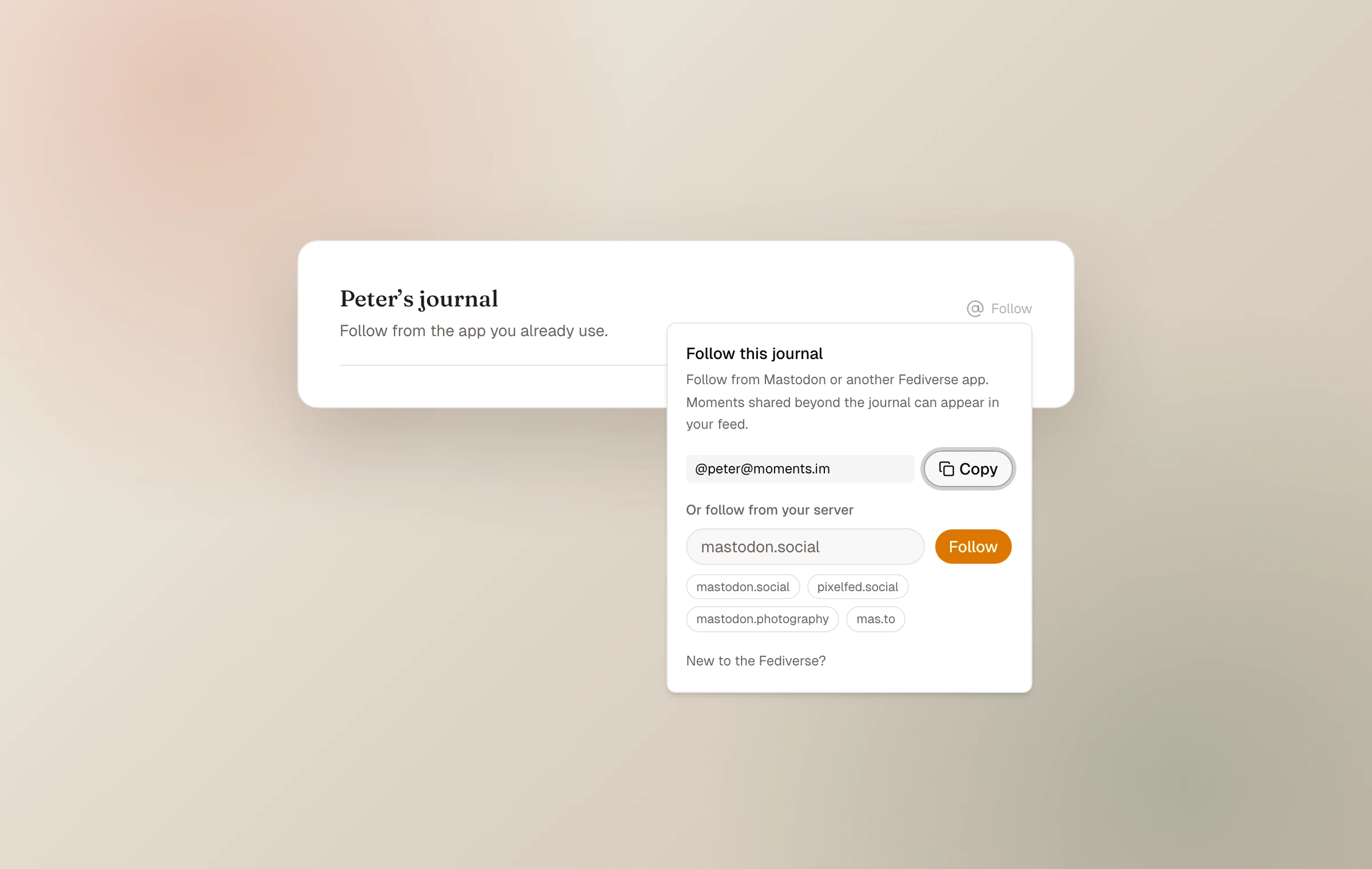
When Open web is enabled, the journal receives a handle shaped like @name@moments.im. A reader searches for that full handle in a Fediverse app and follows it there. The journal's identity is created as the network first looks it up, so a newly enabled handle may take a moment to appear everywhere.
A custom web domain does not change this display handle. The handle identifies the Moments Fediverse actor; the custom domain remains the canonical web address for the journal itself.
Public is necessary, not sufficient
A moment reaches followers only when it is public and you choose to share it beyond the journal. This same choice places it in the Moments community. Unlisted and password-protected moments are never sent.
Edits and removals can be delivered to the wider network after a shared moment changes. Because each remote service operates independently, delivery may not be instant and copies outside Moments cannot be absolutely controlled.
Invite conversation per moment
Conversation can be enabled on an eligible shared moment. Readers reply from their own Fediverse account, and the reply appears below the moment after it reaches Moments. Visitors without a Moments account can begin from the Conversation area by entering the home of their Fediverse account, then finish the reply in their own app.
The owner sees incoming replies in the Open web hub. Replies can be hidden or their author blocked when a boundary is needed. Blocking is a moderation tool, not a public spectacle.
Blocking an account hides its existing replies and prevents new ones. Unblocking allows future participation but does not automatically restore replies that were already hidden.
- 01
Enable Open web
Turn on the journal-level connection and copy the handle it receives.
- 02
Share a public moment beyond the journal
This makes it eligible for delivery to community and followers.
- 03
Allow conversation where it fits
Use the per-moment choice rather than treating replies as a journal-wide obligation.
- 04
Review replies quietly
Read and moderate them in Open web; there are no public engagement totals to maintain.
The community has a handle too
Readers who want a broader selection can follow the Moments community identity rather than one journal. It carries curated public community moments and is separate from the owner-level follower relationship described above.
Keep reading
Related guide
Connect the journal to the open web
How RSS, the Fediverse, and Webmentions let a journal meet readers beyond Moments without becoming a social feed.
Related guide
Receive Webmentions
Understand verified mentions from independent websites and moderate what appears beneath a moment.
Related guide
Share directly or with the community
Use stable links, decide what joins the chronological community feed, and keep public from meaning performative.