Open web
Receive Webmentions
A Webmention is a message from one web page to another: “this page linked to yours.” It lets a blog post or independent site join the conversation around a moment while keeping the response on the writer's own domain.
Webmentions arrive through the open web connection, which is included with Moments Plus. See plans and pricing.
How a mention arrives
When a moment is open to conversation, another site can link to its URL and send a Webmention. Moments fetches the source and verifies that the link really exists before displaying anything. Processing can take a few minutes.
A reply-like article can show a short piece of what the author wrote. A simpler mention may show the source title and a route back to it. Either way, the response stays attributable to the page where it was published.
- 01
They publish a link
Another writer links from their site to a public moment that is open to conversation.
- 02
Their site sends a Webmention
Many IndieWeb tools do this automatically; others use a sending service.
- 03
Moments verifies the source
The referenced page is checked for a genuine link back before the mention is accepted.
- 04
It joins the conversation
The verified response appears under the moment and in the owner's Webmentions dashboard tab.
Words, not scores
Moments does not turn likes and reposts from the wider web into public counts. Genuine replies and mentions appear as words with a source. Fediverse replies and Webmentions use different protocols, but they meet in the same conversational area beneath a moment.
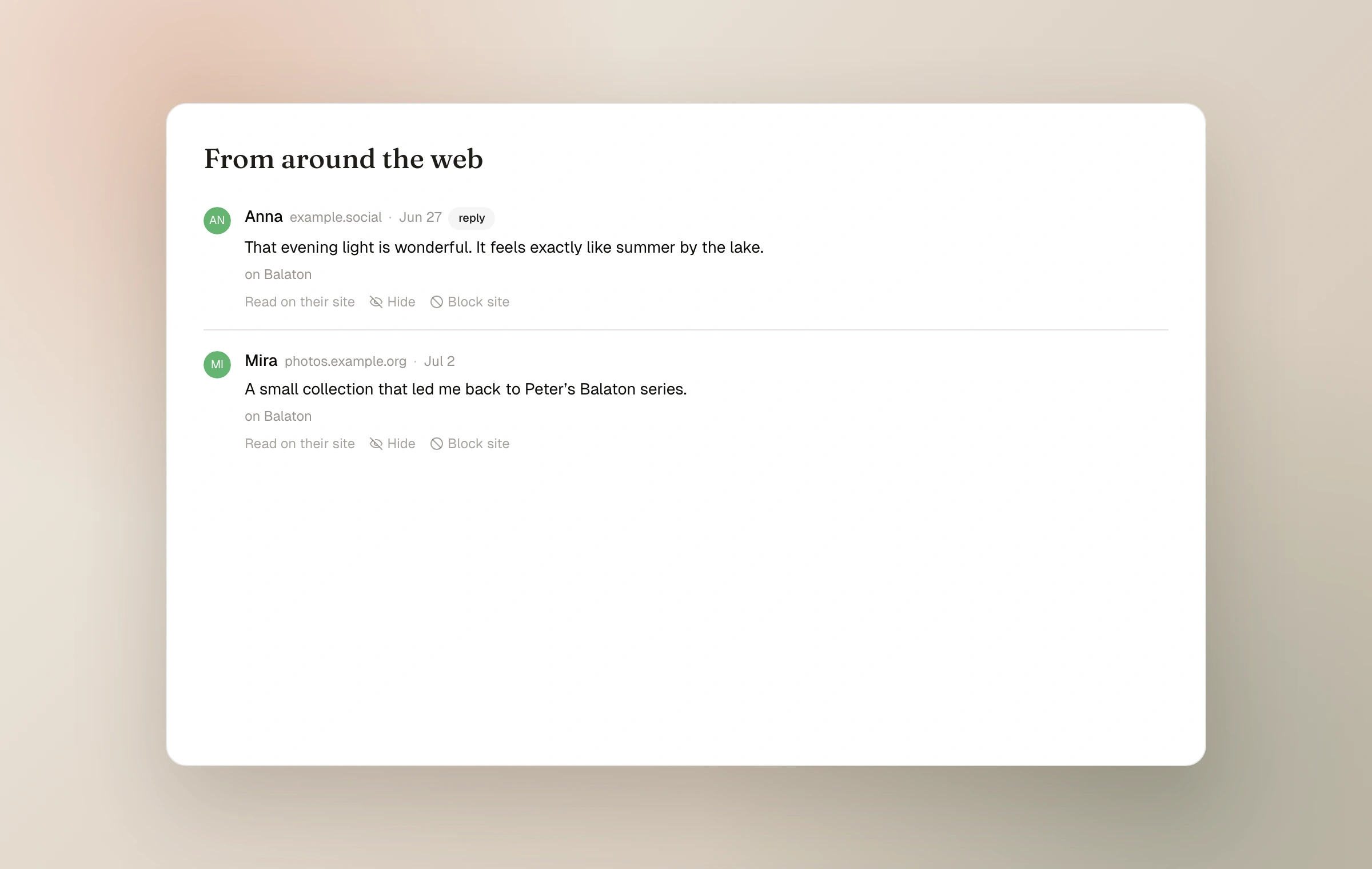
Control what remains visible
The Open web hub lists every Webmention the journal received. Hide one that should not appear, and block a source domain when an entire site should no longer participate. Webmentions only reach moments with conversation enabled; unlisted and password-protected moments do not accept them.
Verification proves that the source page links back. It does not endorse the source or guarantee that its wording will never change.
Keep reading
Related guide
Connect the journal to the open web
How RSS, the Fediverse, and Webmentions let a journal meet readers beyond Moments without becoming a social feed.
Related guide
Fediverse following and conversation
Let people follow from Mastodon and compatible apps, choose which moments reach them, and manage the replies that return.
Related guide
Choose who can see a moment
A precise guide to Public, Unlisted, and Password, including the separate choices for community and conversation.