Put your moments on any site
You can now place a moment, or a feed of your recent moments, on any site that accepts HTML: your blog, a portfolio, a personal page. It carries its own quiet look, set by you, so it feels at home wherever you paste it.
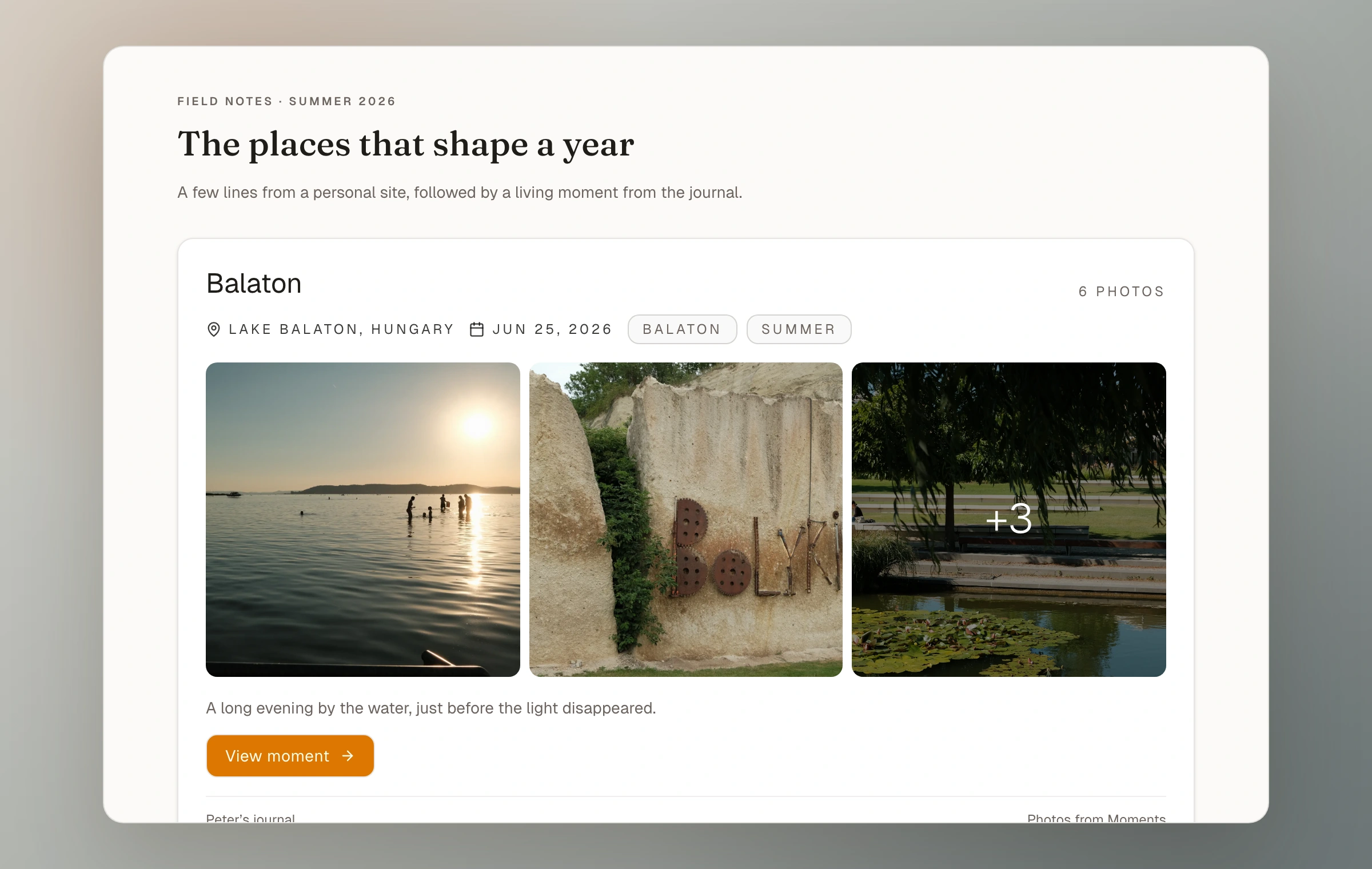
Your journal has always been your home on the web. Sometimes you want a piece of it to live somewhere else too: a post on your blog, an about page, a small feed in the sidebar of your own site.
Now you can. Moments can be embedded in two ways. You can place a single moment, with its photos, title, and field note, right in the middle of a post. Or you can add a feed of your most recent moments, which keeps itself up to date as you add new ones.
To embed a single moment, open Share on the moment and choose Embed. You get a snippet for sites and publishing tools that allow custom HTML or external embeds. For a feed of recent moments, there is an Embed section in your settings.
The embed carries its own look, and it is yours to set. It does not borrow your journal theme, because the site you are pasting into has a look of its own. Choose a layout, how much to show, and a single background color. Everything else, the text and the corners and the button, follows from that one color, light or dark, so it can quietly match the page around it.
It always stays current. Rename a moment, swap a photo, or add more, and every place you embedded it updates on its own. A direct embed can show a published public or unlisted moment you deliberately choose; a recent-moment feed includes only public work. A small Photos from Moments line sits underneath.
- Embed a single moment, or a feed of your recent moments
- From a moment: Share, then Embed. For a feed: Settings, then Embed
- Works where custom HTML or external embeds are allowed
- Choose the layout, how much to show, and one color to match the site
- Always reflects the latest title, field note, and photos
- Direct embeds support published public or unlisted moments
- Recent-moment feeds include only public moments
How it works now
Read the embeds guide