Add moments to your pages
Pages can now pull in your moments. Drop any moment into a page and it shows up as a tappable card with a photo preview, so a page can become a curated home for the work you want people to see first.
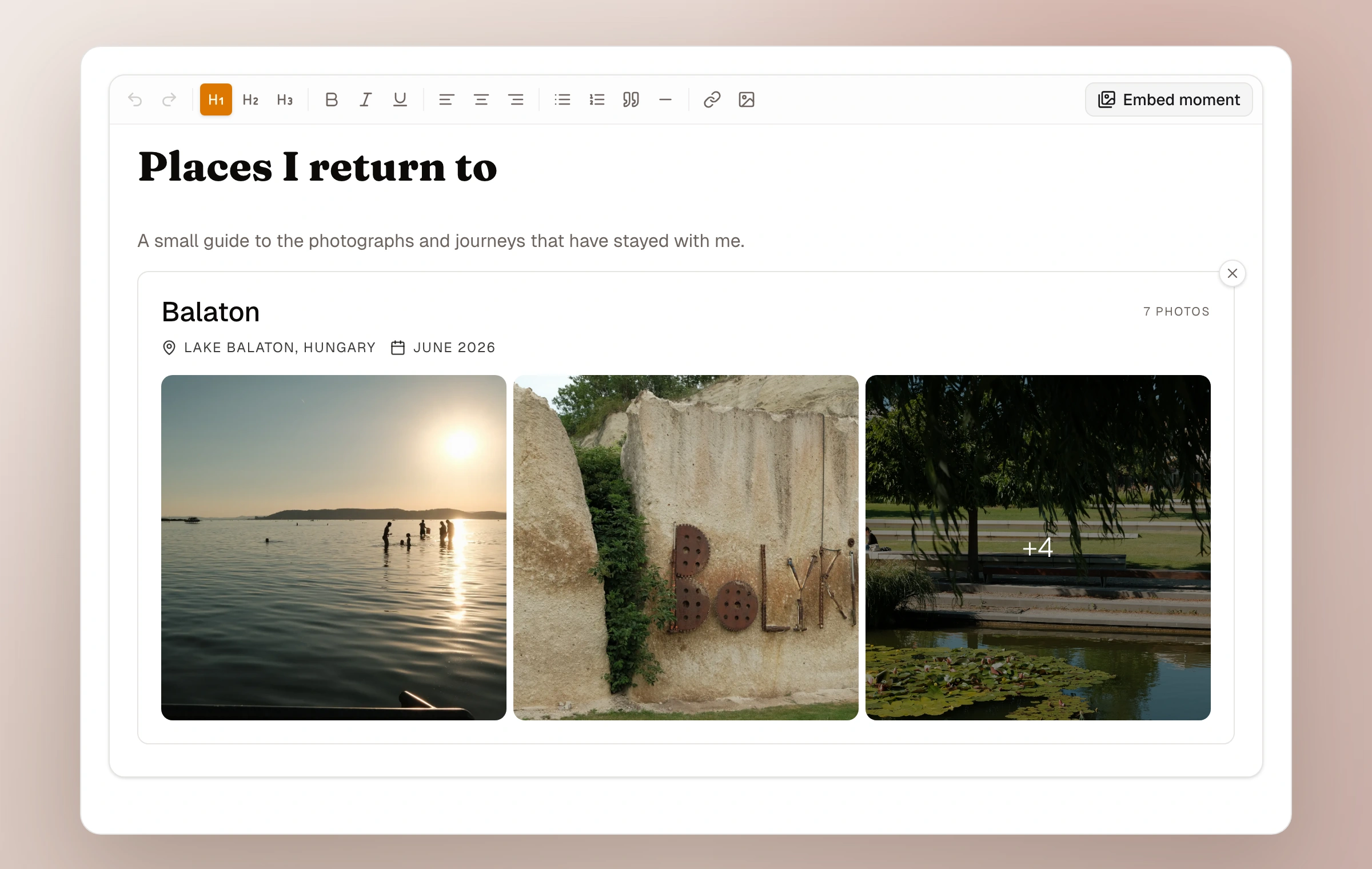
Pages were always meant to be flexible, and this is the piece that unlocks it. While creating or editing a page, open the toolbar and choose Embed moment. Pick any of your published moments and it drops in as a card, complete with the title, date, location, and a preview of the photos. Now a page can be a real landing spot: an about page that opens with your best trip, a favorites page that gathers a handful of moments, a portfolio that leads with the work you are proudest of, or a guide that links out to the moments behind it.
The card always stays current. If you rename the moment, swap its cover, or add photos later, every page it appears on updates on its own. Readers tap the card to open the full moment.
The same option lives in a moment's field note, whether you are creating or editing it, so one moment can point to another. And it works with unlisted moments: you can embed one that is set to unlisted, and the picker marks it clearly so you always know what you are sharing. Embedding simply gives people a way in through the card, the same as sharing its link.
- Build flexible pages: about, favorites, portfolio, or a guide
- Insert from the page editor, or from a moment's field note
- Live preview of the cover photos, with a count of the rest
- Always reflects the latest title, cover, and photos
- Unlisted moments are supported and clearly labelled in the picker
How it works now
Read the pages guide