Your journal, down to the last line of CSS
Custom CSS can now take a journal beyond the Appearance controls. Change a typeface, reshape a moment, or write a complete theme while the live preview responds beside you.
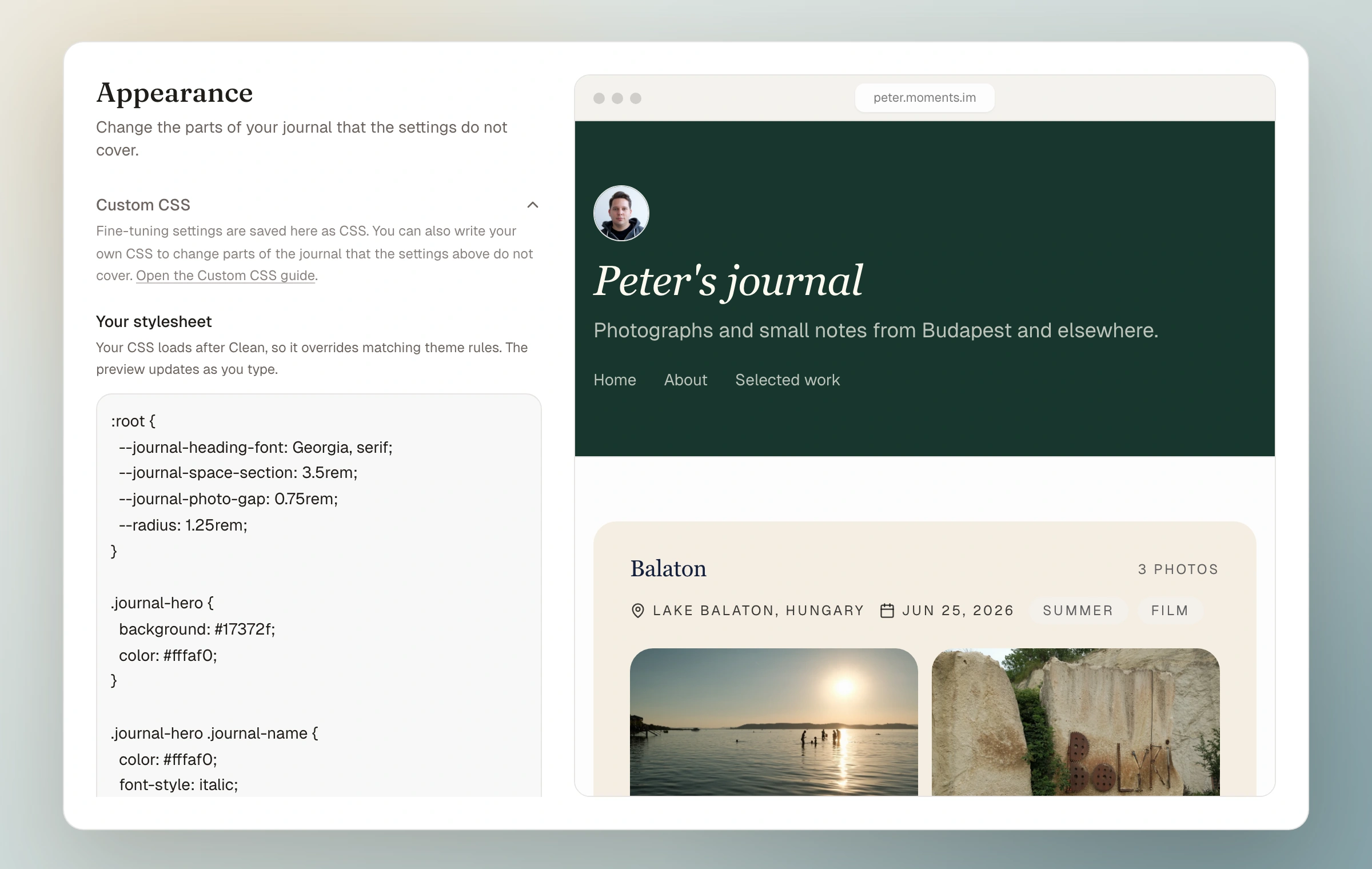
A theme should be a good place to begin, not a wall you eventually meet. Open Custom CSS under Appearance and add only the rules you need. Your stylesheet loads after the chosen theme, so it can adjust one detail or replace the whole visual system.
The editor shows the current theme stylesheet for reference and updates the journal preview as you type. Stable journal classes and CSS variables cover the header, navigation, moments, photographs, field notes, collections, pages, and footer. The Handbook gathers those hooks with small examples and a longer prompt for working with an AI assistant.
CSS is checked before it reaches the journal. Unsafe declarations, imports, and URLs are removed, while useful font imports and ordinary styling remain. A stylesheet can contain up to 20,000 characters and changes the public journal only after you save.
Anyone can try hand-written CSS in the preview. Saving it is included with Moments Plus. The ordinary fine-tuning controls also write readable CSS into the same editor, but those controls remain available on every plan. If Plus access pauses, hand-written CSS stays saved and returns when access does.
- Live preview while the stylesheet changes
- Documented classes and variables for every major journal surface
- Use a small override or adopt and rewrite the full theme stylesheet
- Safe font imports, URLs, and CSS with a 20,000-character limit
- Hand-written CSS rests without being deleted if Plus access pauses
How it works now
Read the Custom CSS guide